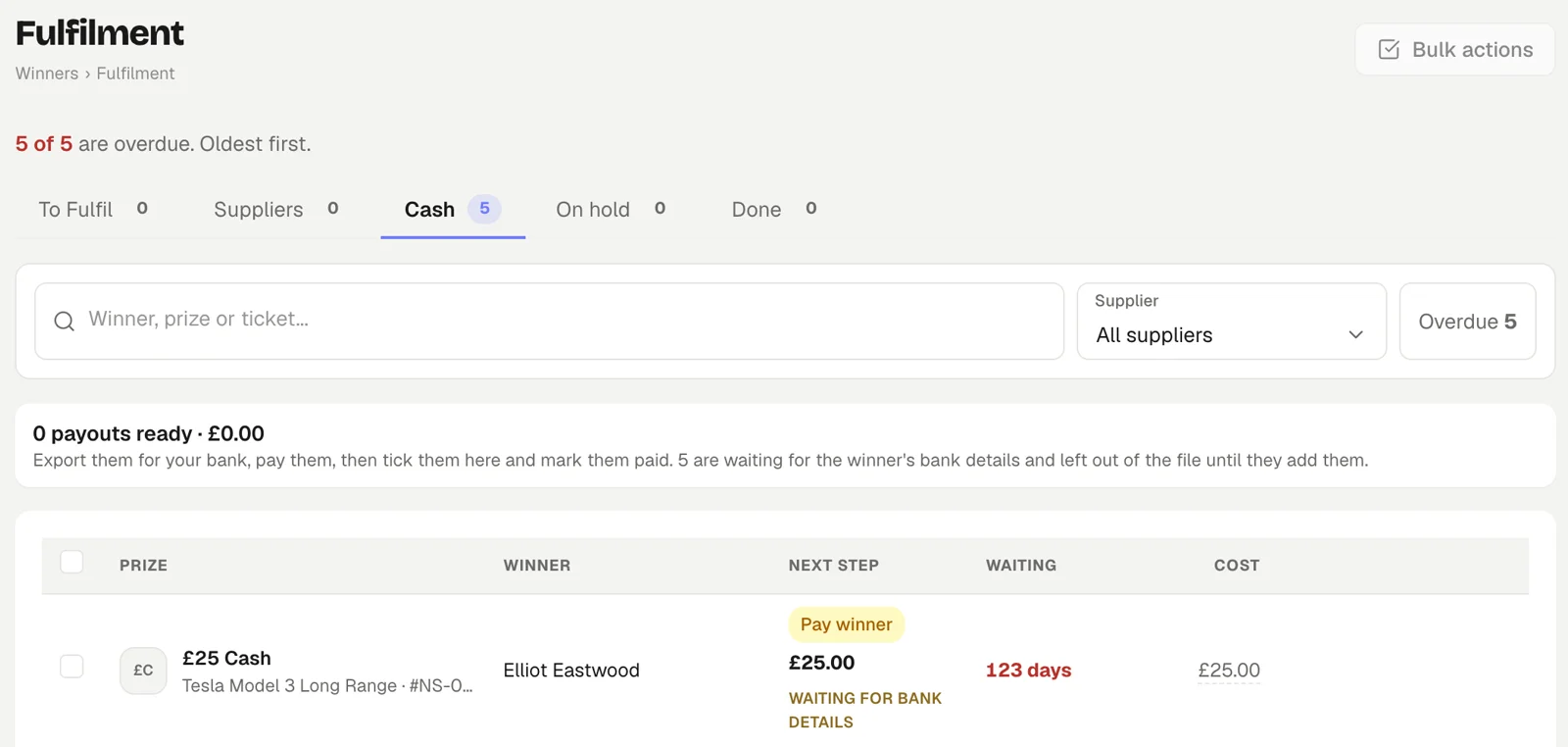
Every prize won on Basecomp, main prize or instant win, is claimed by the winner from their account and then lands in one fulfilment queue: prizes to post, prizes to order from a supplier, digital codes to send and cash to pay. Each claim shows its next step and how long it has waited, and cash payouts export as a file ready for your bank's bulk upload.
Card processing is billed separately by your payment provider at their own rates.
Winners claim from My prizes in their account on your site. They need a verified email address, and they confirm their date of birth if it is not on file, because prizes are only released to customers aged 18 or over. For a physical prize they enter a delivery address, for a cash prize they pick or add a bank account, and a site credit prize goes straight onto their balance.
You set how long winners have to claim, from 7 to 365 days (30 by default). They are reminded by email 7, 3 and 1 days before the window closes, and you can reinstate an expired claim if a winner gets in touch late.
Post a prize with an optional tracking number and the winner is emailed that it has shipped. Several prizes for one winner can be marked posted together. For a digital prize, enter the code, link or voucher and Basecomp emails it to the winner.
Record who supplies each prize in your prize catalogue, and whether they post it to the winner themselves. Prizes from a supplier who ships direct are grouped at the top of the queue, one batch per supplier, and each batch can go to the supplier as one email listing the prizes. You choose per supplier whether orders are emailed. If a supplier is out of stock, Fulfil this ourselves moves the claim back to To Fulfil for you to post, without telling the winner anything.
You pay winners from your own bank account; Basecomp does not hold your money. The Cash tab shows how many payouts are ready and the total. Export payouts in the Bank bulk upload format for a GBP store (one line per winner with name, account number, sort code, amount and your store name as the reference), pay them through your bank, then tick them and mark them paid.
Bank details stay hidden until a team member with the Manage Payouts permission confirms their password, and every download and reveal is recorded. A cash claim with no bank details yet is left out of the file, and the winner is emailed to add them.
In Settings > Prizes & Claims you can let winners swap a physical prize for cash or site credit, at rates you set as a percentage of the prize value, with rounding and an optional time limit. Each prize can follow those rates, override them or never offer a swap. If a winner asks you directly, convert their claim from the queue: credit lands on their balance straight away, and cash moves to the Cash tab.
Work out a cash alternative →No. You pay winners from your own bank account. Basecomp gives you the payout file in your bank's bulk upload layout and records each payment once you mark it paid.
Yes, if you switch on prize conversion. You set the cash rate and the site credit rate as a percentage of the prize value, store-wide or per prize.
The winner is reminded 7, 3 and 1 days before the claim window closes, and the prize expires when it does. You can reinstate the claim later if the winner gets in touch.
Only with the Manage Payouts permission, which is separate from the permission to process orders. Every reveal of a bank account is recorded.
Run the draw yourself on a livestream, with the result revealed to every viewer at once.
Profit per competition, payout ratio, payment success and which competitions bring players back.
Winning tickets chosen at random and sealed before sales, revealed with a game.
The cash offer for any prize at the percentage you choose, and what it saves against sending the prize.
Create your free account and run a test competition to see a claim go from win to fulfilled.
Create your free account