Refer a friend
Refer-a-friend lets your customers share a personal link from their account. A friend who buys through it can get a discount on their first order, and the customer who shared it earns website credit once that order has cleared a hold period. You set it up in Settings > Refer-a-friend and track it in Marketing > Referrals.
Don't see Referrals in your sidebar? Add the Refer a friend app from Apps. See Adding and removing apps.
Setting it up
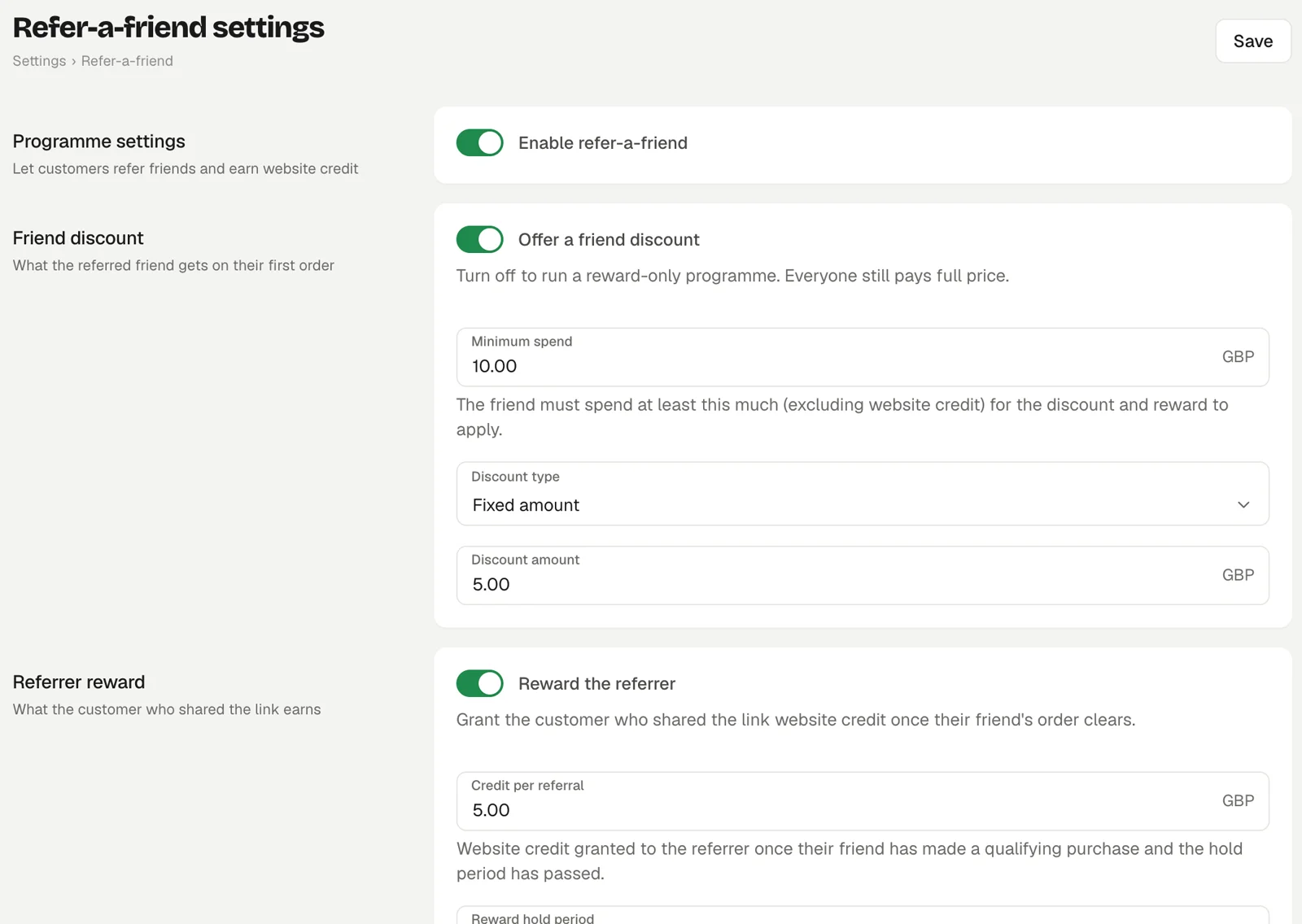
Go to Settings > Refer-a-friend and turn on Enable refer-a-friend. Then configure the two halves.
Friend discount
What the referred friend gets on their first order.
- Offer a friend discount: turn off to run a reward-only programme where everyone pays full price.
- Minimum spend: the friend must spend at least this much, not counting website credit, for the discount and the reward to apply.
- Discount type: Fixed amount or Percentage, with the Discount amount or Discount percentage.
Referrer reward
What the customer who shared the link earns.
- Reward the referrer: grants website credit once the friend's order clears.
- Credit per referral: how much website credit each successful referral earns.
- Reward hold period: days to wait before the credit is granted, so refunds can come in first. A refunded order cancels its reward.
- Monthly cap per customer: the most rewarded referrals one customer can earn in a calendar month. Set 0 for no cap.
Click Save.
What your customers see
Signed-in customers find their personal link on the Refer a Friend page of their account, alongside the credit they have earned, their pending referrals and a list of everyone they have referred. The link is your store address with ?fref=CODE added.
When a friend opens the link, a bar at the top of your site tells them what they get, and the friend discount is applied to their basket automatically at checkout. If their basket is under the minimum spend, checkout says how much more to spend. If the friend also arrived through an affiliate's link, the affiliate's offer takes priority and the friend discount is not applied, so one sale never pays an affiliate commission and a friend discount together.
When a referral is rewarded
A referral is recorded when the friend's first paid order over the minimum spend completes. It then shows as Pending in Marketing > Referrals. After the hold period, rewards are granted automatically each morning and the referral becomes Rewarded. If the order is refunded first, it becomes Cancelled.
Built-in abuse protection
- Rewards are only given on a friend's first paid order over the minimum spend.
- Self-referrals are detected and blocked: the Detail column shows "Same email as referrer" or "Same person detected (shared identity signals)".
- Each friend can only earn one reward.
- A referrer over the monthly cap is blocked with "Referrer hit the monthly cap".
Blocked referrals appear with the Blocked status so you can see them.
Tracking referrals
Marketing > Referrals shows Credit rewarded, Pending, Rewarded this month and Blocked attempts, and a list of every referral with the date, referrer, friend, order, reward, status and detail. Filter it by status.
Refer-a-friend or affiliates?
Refer-a-friend is for your own customers and pays in website credit. Affiliates are outside partners paid a cash commission that you settle yourself.