API keys
An API key lets another system talk to your store through the Basecomp API: reading your winners, orders, customers and competitions, and updating a prize claim's fulfilment status. Create keys in Settings > API Keys, and give each integration its own key so you can revoke one without breaking the others.
Don't see API Keys in your sidebar? Add the Developer tools app from Apps. See Adding and removing apps.
Full technical documentation is at basecomp.io/docs.
Creating a key
- Go to Settings > API Keys.
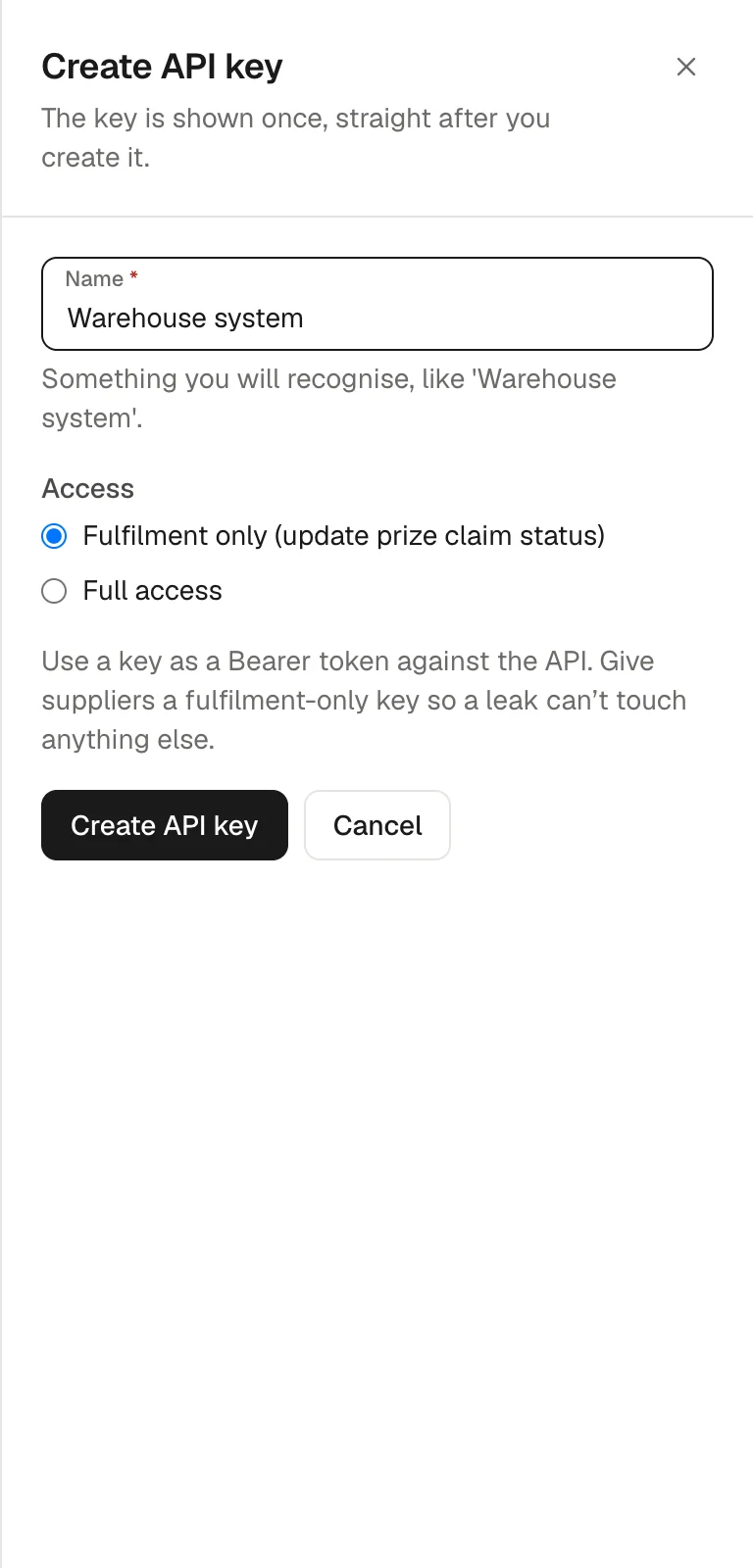
- Under Create API key, enter a Name you will recognise, like "Warehouse system".
- Choose the Access:
- Fulfilment only (update prize claim status): can only update a winner's fulfilment status. This is the default. Give this to suppliers, so a leaked key cannot touch anything else.
- Full access: every endpoint. Use only for your own server-side integrations.
- Click Create API key.
- Copy the key straight away. It starts with sk_ and is shown only once. Basecomp stores a one-way hash, so it cannot show the key again. If you lose it, revoke it and create another.
Never put an API key in website code or anywhere a visitor could see it.
Managing keys
Your keys lists every key with its Name, the end of the Key, its Access, how many Requests it has made and when it was Last used. Click Revoke, then Confirm revoke, to switch a key off for good. Anything using it stops working straight away.
Recent API activity shows the last 20 requests made with your keys: when, which key, the endpoint, the status code and how long it took.
Using the API
The base URL is https://basecomp.io/api/v1. Send the key as a Bearer token in the Authorization header on every request:
curl https://basecomp.io/api/v1/private/me \
  -H "Authorization: Bearer sk_..."
Endpoints
- GET /public/ping: a health check, no key needed.
- GET /private/me: the store the key belongs to.
- GET /private/winners and GET /private/winners/{id}: list or fetch winners (winners:read).
- PATCH /private/winners/{id}: update a winner's prize fulfilment (winners:write).
- GET /private/orders and GET /private/orders/{id}: list or fetch orders (orders:read).
- GET /private/customers and GET /private/customers/{id}: list or fetch customers (customers:read).
- GET /private/competitions and GET /private/competitions/{id}: list or fetch competitions (competitions:read).
A fulfilment-only key has just the winners:write scope. A full access key has every scope.
Filtering and pages
List endpoints return newest first, 25 per page by default. Add ?limit= (1 to 100) for a different page size and ?cursor= with the meta.nextCursor value from the previous response to get the next page; meta.hasMore is false on the last page. Every list accepts ?since= to return only records created on or after a date. Winners can also be filtered by fulfillment_status, status and type; orders, customers and competitions by status; and customers by email.
Marking a prize shipped
This is the usual job for a supplier's fulfilment key, for example from Zapier:
PATCH /api/v1/private/winners/{id}
Authorization: Bearer sk_...

{
  "fulfillment_status": "shipped",
  "tracking_number": "AB123456789GB"
}
fulfillment_status can be processing, shipped, delivered or unfillable. You can also send supplier_order_number, tracking_url, notes and, for unfillable, an unfillable_reason. When a prize first moves to shipped, the winner is emailed that it is on its way and the Prize shipped webhook fires. Send "notify_customer": false to skip that shipped email. Marking a prize unfillable always tells the winner it is unavailable. If you send only a supplier_order_number with no fulfillment_status, the prize is marked shipped.
Limits and errors
Requests are limited to 120 a minute per key. Errors return a JSON body with a message and a code:
- 401 UNAUTHENTICATED: missing or invalid key.
- 403 INSUFFICIENT_SCOPE: the key does not have the scope that endpoint needs.
- 404 NOT_FOUND: the record does not exist or belongs to another store.
- 422 VALIDATION_ERROR: the request body failed validation.
- 429 RATE_LIMITED: too many requests.
Who can manage keys
Team members need Edit Settings to open Settings > API Keys.