See what changed in every version of a page#
The site builder's Version history now says what each version changed, like a section added or hidden, or a header setting switched. And when your team shares a page, Publish tells you first if it would also put live changes a colleague drafted and never published.
Add your own blocks to a section#
Sections in the site builder now have Add block: put an extra heading, paragraph, button, icon, trust badge, figure or a little space after a section's own words, edit it on the page, and move it up or down.
Bring your pages to life with Motion#
A new Motion setting in the site builder's Design panel. Subtle fades each section up as shoppers scroll and zooms competition pictures a little on hover. Expressive brings cards in one after another, lets hero pictures drift and fills buttons on hover. Shoppers who ask their device for less motion never see it.
Style a single heading or paragraph#
Click any heading, small line or paragraph in the site builder to give it its own size, alignment and colour, without changing the rest of the section. Auto puts it back to match your theme.
Choose how many competitions sit side by side on a phone#
Your competition list has a new Columns on Mobile setting: one card per row or two. Columns now sets the most cards across on a big screen, so a list set to two stays at two on desktop instead of spreading wider.
Social links are now in the website editor#
Your Facebook, Instagram, Discord and other links now sit with your header and footer in the website editor, where they show. Type a username or paste a link, press Save, and your site shows them straight away.
Open the website editor →Website editor: click anything to edit it, and try themes on#
Click a button, a headline, a badge or a picture on your page and the panel shows just that, with its link and style. Add a section above or below any other right on the page, switch a section's layout from thumbnails, and use Change theme to try a new look on your site before you pick it.
Open the website editor →Winners ticker: skip the small prizes#
Set a minimum prize value on the Announcement Ticker and its recent winners only include prizes worth at least that much, so your best wins are not buried under small credit wins. Leave it blank to show every winner.
Open the website editor →High Street: a new template, and catalogue cards#
A new High Street template gives your site the busy catalogue look UK players know: a grid of every competition, a countdown strip under each picture that turns red in the last day, the cash alternative, and a basket button on every card. Catalogue cards are also a Theme panel choice for any template.
Open the website editor →A new website editor, with templates made for competitions#
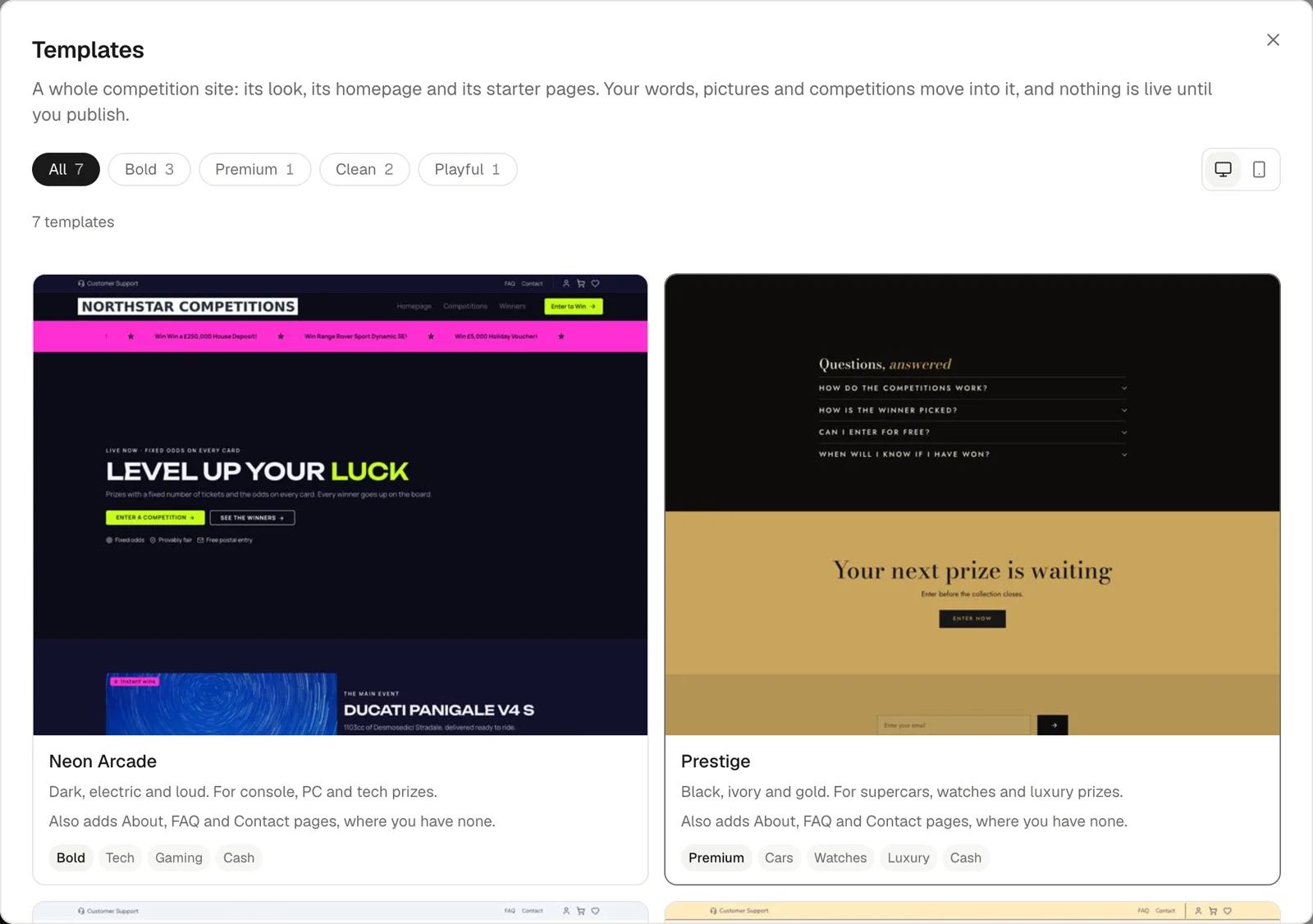
Website now opens a full-screen editor: pick a template built for prize competitions, change its colours, fonts and corners in one Theme panel, and edit text right on the page. Changes save as a draft as you go, with undo and a version history, and nothing reaches your live site until you publish.
 Open the website editor →
Inbox: an Unread tab#
The inbox has an Unread tab, so the conversations nobody on your team has opened yet are one click away.
Open the inbox →Pay by bank with Fena#
Players can now pay straight from their bank app through Fena open banking, with no card involved. Add your Fena terminal details under Payment Gateways and it appears at checkout beside your card provider.
Open payment gateways →Grand prize draws now include a public random number#
Every grand prize draw now mixes in a random number that drand, a public service run by independent organisations, publishes only after sales close. Nobody, including us, can know the winner before the competition ends, and anyone can check the result on the competition's verification page.
How FairLock works →Draw seals are timestamped in Bitcoin#
The fingerprint we publish when a competition is sealed is now also timestamped in the Bitcoin blockchain, so anyone can prove it existed before the first ticket sold, without having to trust us.
How FairLock works →Trustpilot: paste your TrustBox code#
In Settings › Integrations, paste the TrustBox embed code Trustpilot gives you and we fill in the IDs it needs, instead of you hunting for them.
Open integrations →Orders export includes billing city and postcode#
The orders CSV now has billing city and postcode columns, so you can see where your players are without a second export.
Open orders →Payment links and QR codes#
Create a link or QR code that opens checkout with tickets already in the basket, for live streams, DMs and events. Saved links get a short address you can point at a different competition later, and each one shows the sales it brought in.
Create a payment link →Set your team's support hours#
In Settings › Chat you can now set the hours your team answers chat, so players know when to expect a reply.
Open chat settings →Banners and pop-ups#
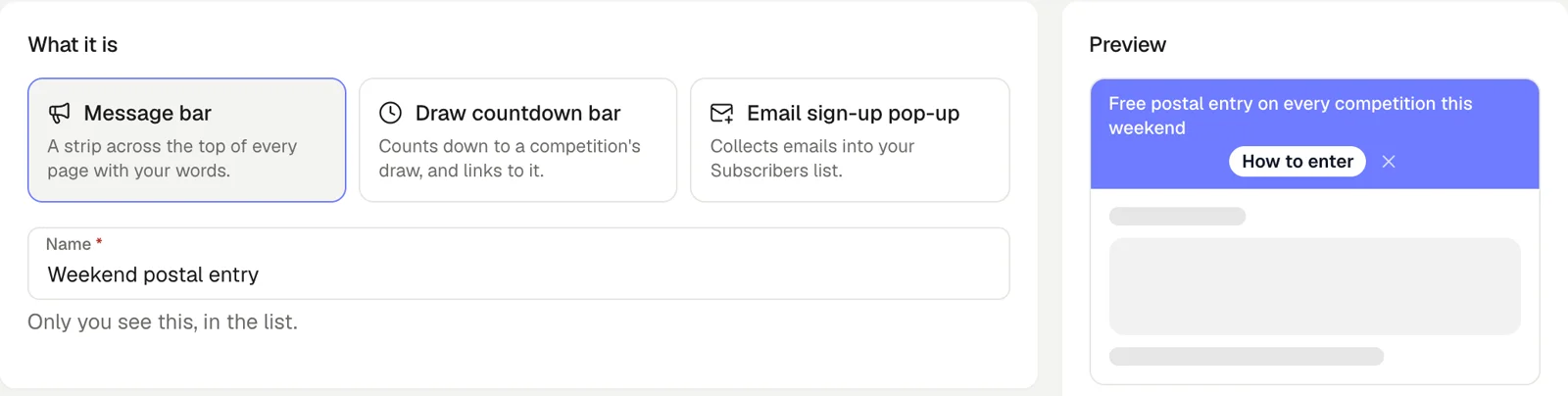
Run announcement bars, draw countdowns and email sign-up pop-ups across your site, each on its own schedule, from Marketing › Banners & Pop-ups.
 Create a banner →
A Halloween look for the daily game#
The creature battle daily game has a Halloween theme with its own soundtrack, ready for October.
Open the daily game →Sell-out forecast for every live competition#
Your dashboard now forecasts how much of each live competition will sell by its draw date, based on how competitions really sell (slowly, then a rush near the end), and lists the ones at risk of falling short. Each competition's page also shows how many of its visitors go on to buy.
Open your dashboard →Player protection report#
A new report under Customers flags players who may need a check-in: sudden spending spikes, repeatedly hitting their limits, cycling through payment cards and late-night play.
Open player protection →Analytics: payment success rates and which channels bring players back#
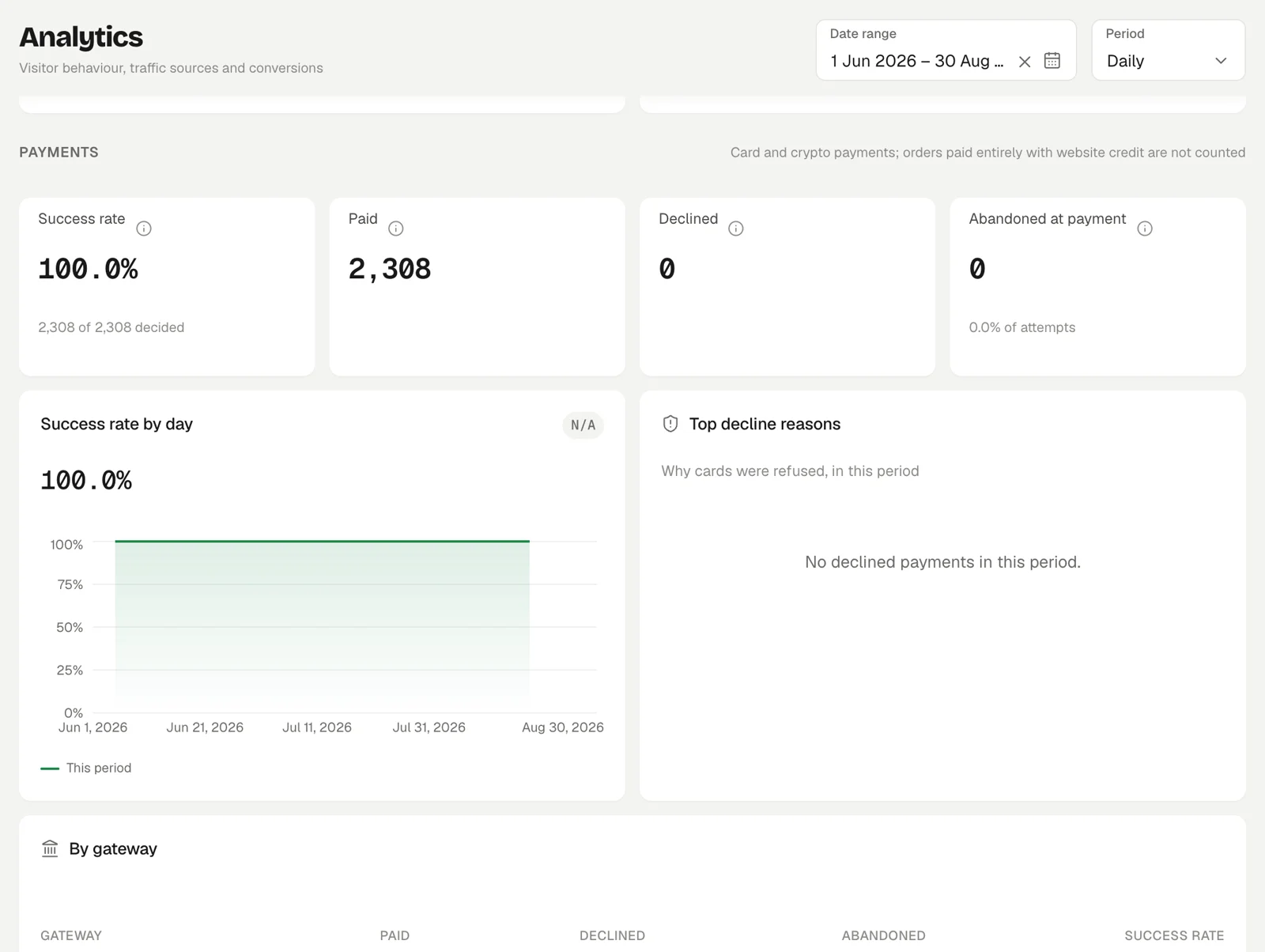
Analytics now shows the payment success rate for each gateway, the reasons cards are declined, and an alert when payments suddenly drop. A Channel value view shows whether the buyers each channel brings come back to buy again.
 Open analytics →
A slide-out basket on your site#
Adding tickets now opens a basket that slides in from the side, with a floating basket button on every page, so players keep browsing instead of being sent to a separate basket page.
A new email campaign editor with a writing assistant#
Type straight into your email as it will look, upload pictures in place, and ask the writing assistant to draft or tighten your copy.
Open email campaigns →A redesigned dashboard, with dark mode and quick search#
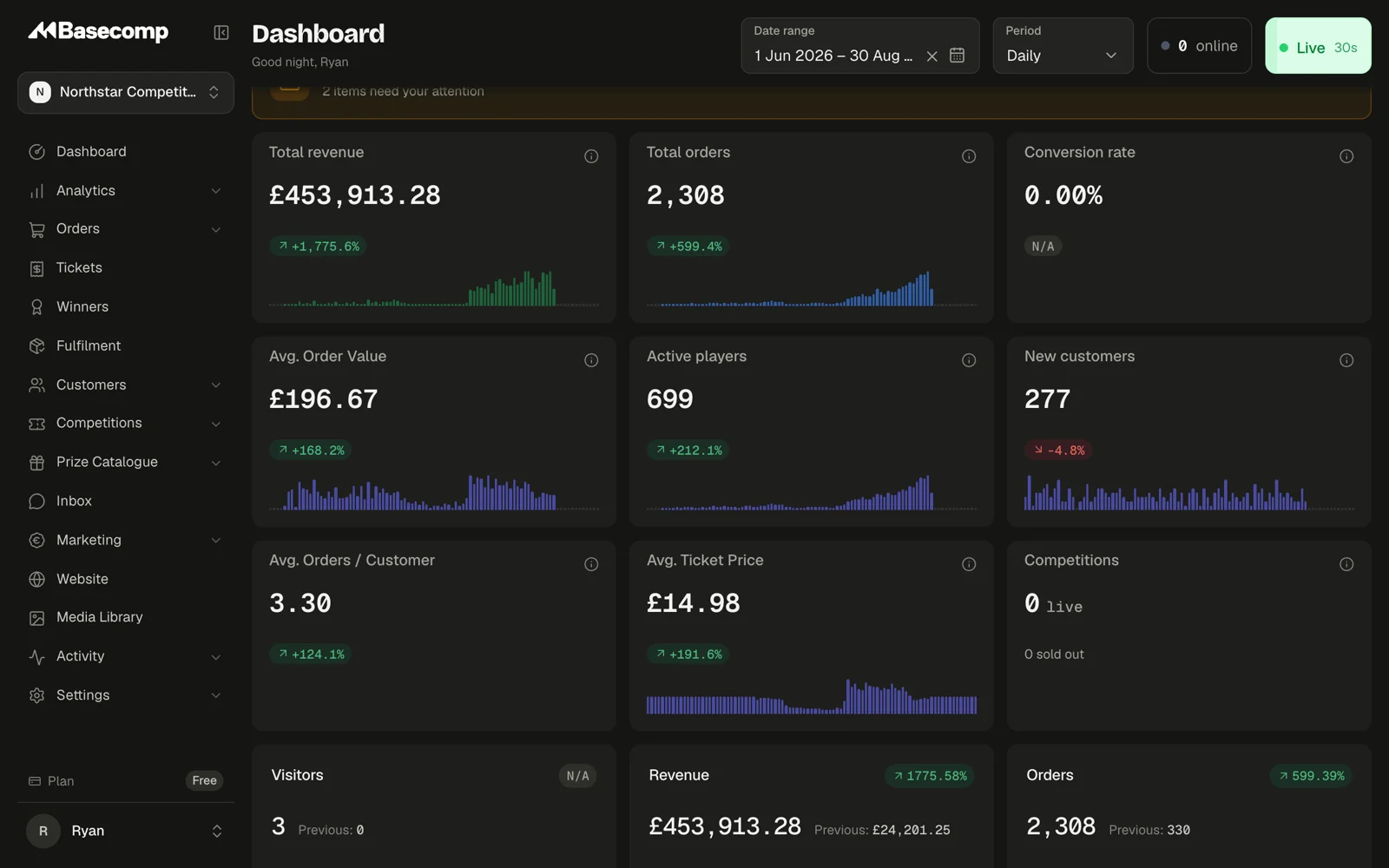
The dashboard has a new look, a dark mode, a sidebar you can collapse and a search you open with Cmd+K (Ctrl+K on Windows) to jump to any page, order or customer.
Plinko: reveal up to 500 tickets in one drop#
The Pachinko instant win reveal is now a Plinko board. Players can drop up to 500 tickets at once and watch where each one lands, with a speed toggle and sound they can mute.
Try the games →Bundle deals: reward players for buying more tickets#
Give free tickets or a percentage off when a player buys more, set per competition. The buy panel shows players what each deal saves them.
Open competitions →Every prize on an order, and a timeline for each player#
An order's page now lists every prize it won and what happened to each one, with a CSV. Each customer has an activity timeline showing their sign-ins and which version of your terms they accepted, and when.
Open orders →